 ShapeMason
SVG and DXF to a STEP solid
A solid, not just a sketch
Skip the sketch and give your CAD tool a solid: ShapeMason raises the closed profiles of an SVG or DXF to a depth and writes a STEP file. Holes stay holes, and circular arcs become true cylindrical faces you can select, resize and fillet, rather than rings of flat facets.
Before and after
Before: logo.svg |
After: logo.step |
|---|---|
 |
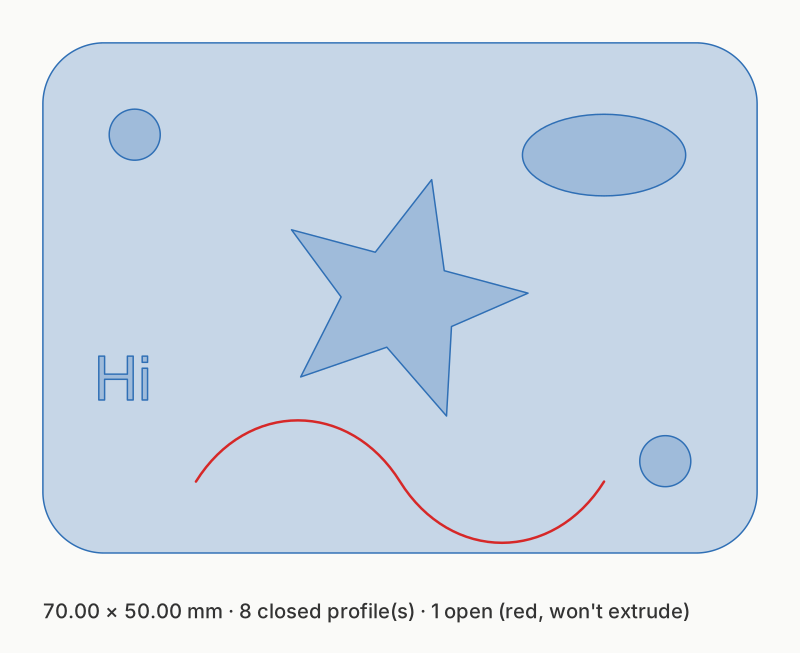 |
The sample logo.svg extruded 3 mm, seen from above. The outline and the holes in it become one solid; the open curve (red) is ignored.
Steps
In the web app
- Open shapemason.com and drop the SVG or DXF on the page, or use Open Files.
- Choose Extrude (STEP) and set Extrude › Depth in mm.
- Choose Convert. The 3D preview shows the solid first; the STEP downloads.
In the app for Mac, iPad and iPhone
- Drop the file on the window, or open it with + on iPad and iPhone.
- Choose Extrude (STEP) and set Depth.
- Choose Convert (⌘R on a Mac).
On the command line
shapemason extrude logo.svg --depth 3
shapemason extrude plate.dxf --depth 4
Heights per layer or color
Every layer starts at z = 0 and rises to its own depth, so colors can become heights: Layers from › Color makes one layer per fill color, and Extrude › Layer depths gives each its own depth.
shapemason extrude badge.svg --layer-by color --depth "FILL_FF0000=3,FILL_000000=1.5,default=1"
What it does
- Nests profiles. An outline, the holes in it and islands inside those holes are worked out by containment. Each outline with its holes is one solid.
- Writes true arcs. Straight edges give flat faces, circular arcs give cylindrical faces, and other curves are flattened within 0.05 mm.
- Reads DXF too. Lines, arcs, circles, ellipses, polylines with bulges, splines and blocks, in the file's own units unless you set Units.
- Ignores open paths, with a note in the report.
Try it
Open ShapeMason in your browser
Nothing to install, and your files are converted on your device, never uploaded. Prefer an app or a terminal? Get the Mac app or the command-line tool.
The full guide, with every option, on docs.shapemason.com: